Operating Procedures
Operating Procedures are managed at an organisational level, meaning any procedures you configure here will be accessible organisation-wide.
Accessing the Operating Procedures Menu
To access the Operating Procedures management page, navigate to the Settings Menu. Select Operating Procedures from the options, then click Manage Operating Procedures from the submenu to view or configure your organisation's procedures.
Adding an Operating Procedure
To add a new operating procedure:
- Go to the Manage Operating Procedures menu.
- Click the Add Operating Procedure button in the bottom right corner, or select Create/Edit Operating Procedure.
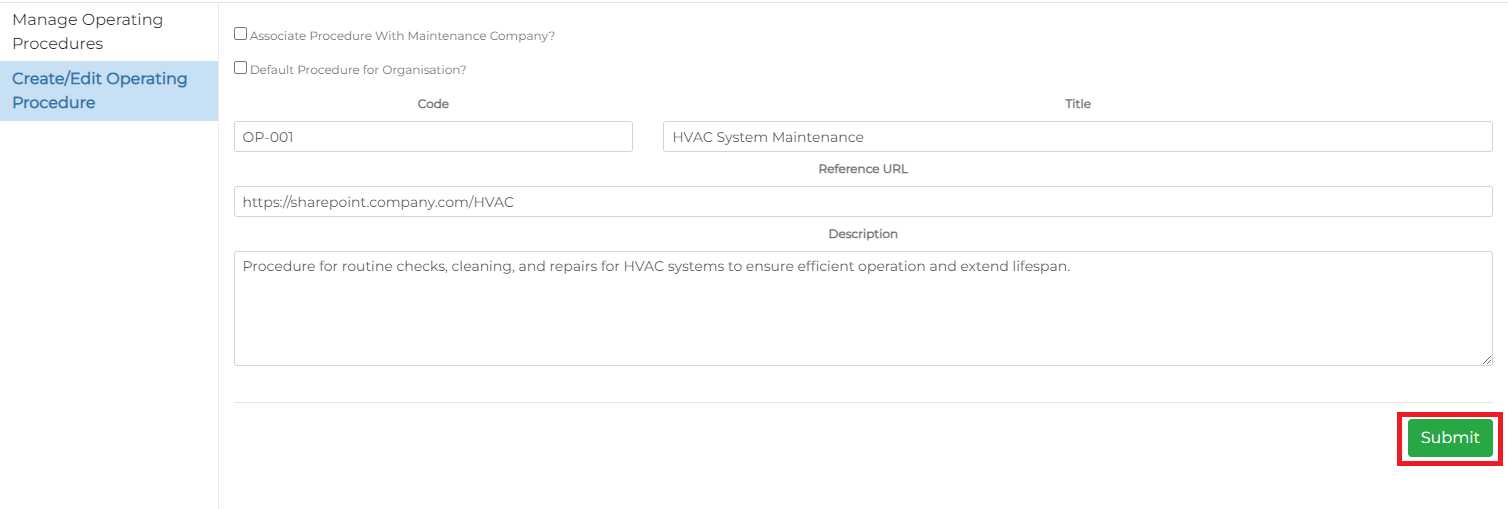
This opens the Operating Procedure form.

Complete the form as follows:
- Code: A unique identifier for the operating procedure.
- Title: The name or reference of the procedure.
- Reference URL: An optional URL link to the procedure. It is recommended that all procedures are stored on a secure organisational cloud platform, such as SharePoint, so operatives and contractors can access the most current documents via their organisation accounts. This ensures document security and proper management by authorised personnel.
- Description: A detailed description of the procedure.
Setting a 'Default' Operating Procedure for Your Organisation
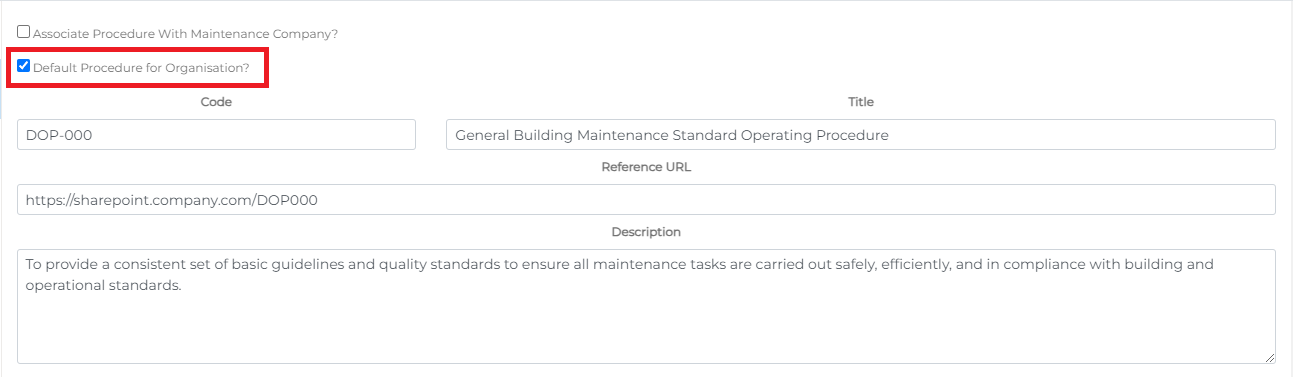
To set an operating procedure as the default:
- In the add/edit form, select the Default Procedure for Organisation checkbox.
This will make the selected procedure the default for all new tasks created by the system while this option is active. Note that only one default operating procedure can be set at a time.
Associating an Operating Procedure with a Maintenance Company (Service Provider)
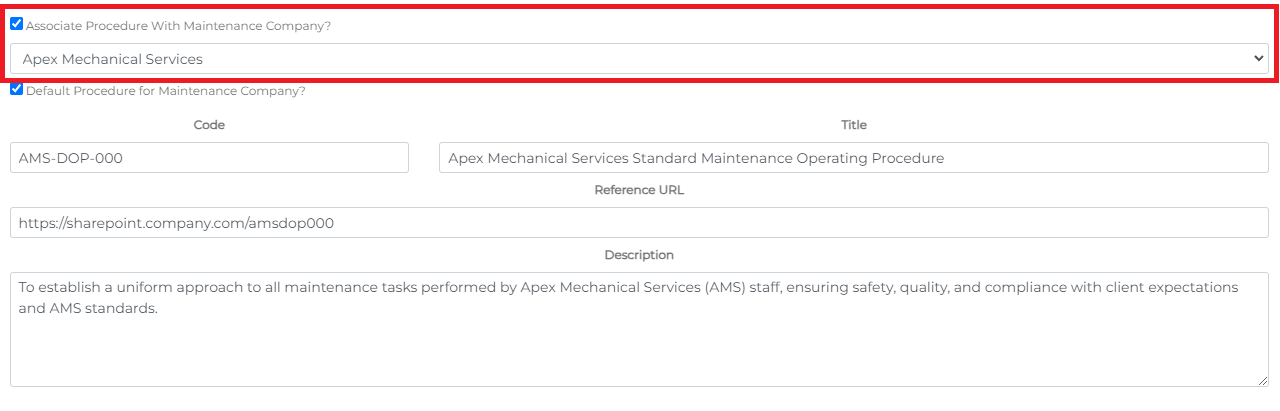
If your organisation has Service Providers, you can set specific procedures for each. To associate a procedure with a service provider:
- Select the Associate Procedure with Maintenance Company checkbox.
- Choose the relevant service provider from the dropdown list that appears.
Administrators will then have access to these specific procedures when creating tasks for these providers. You can also set one of these as the default procedure for the service provider, which will automatically link it to their tasks.

Editing an Operating Procedure
To edit an existing operating procedure:
- From the Manage Operating Procedures menu, click the icon to open options:
- Edit Details – Opens the Operating Procedure form for updates.
- View Document – Opens the procedure's URL link in a new window.
- Remove – Permanently deletes the procedure.

