Settings Menu
Accessing the Settings Menu
To access the CMMS settings menu, click the gear icon located in the top-right corner of the screen.

Navigating the Settings Menu
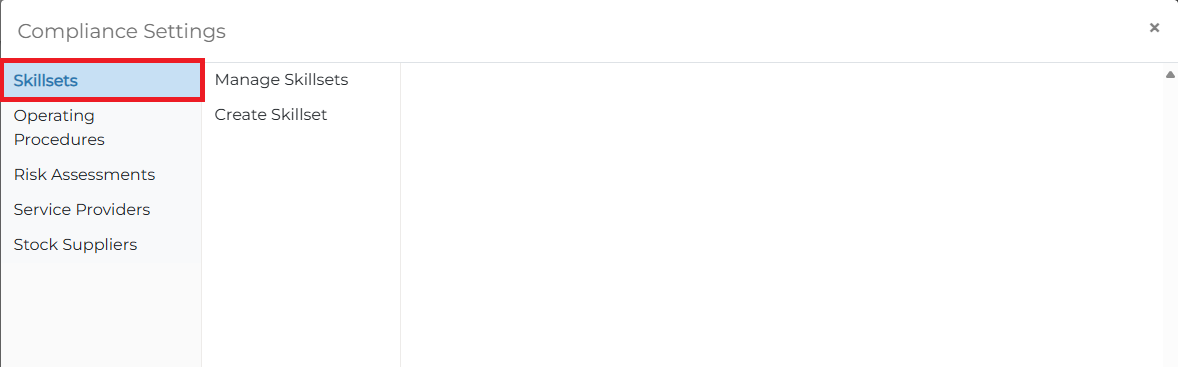
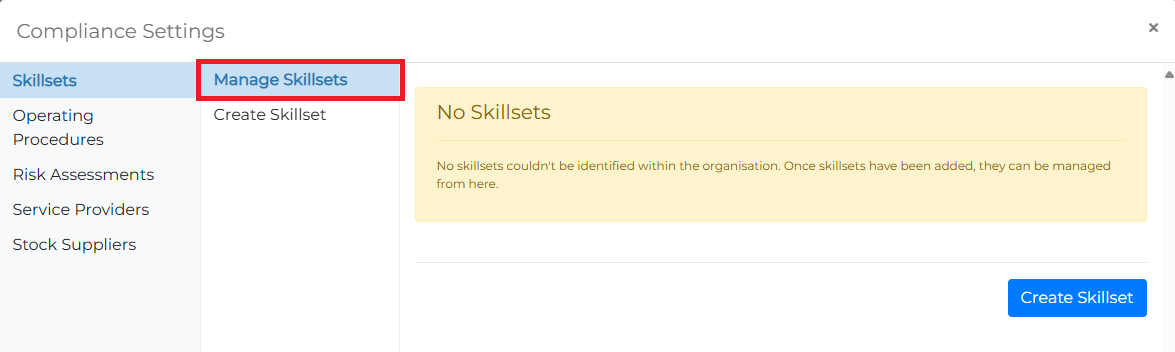
The settings menu is organized into three sections, allowing users to easily navigate and find their target options.
-
Left Menu: Start by selecting an option from the left-most menu. The selected option will be highlighted in blue.
-
Submenu: Once an option is selected, its respective submenu items will appear in the middle column.
- Detailed Settings: After selecting a submenu item, the detailed settings for that section will be displayed in the right column.
Related Settings Documents
Below are additional related documents for the settings:
📄️ Skillsets
Configure your operator skillsets
📄️ Operating Procedures
Configure your organisation's operating procedures
📄️ Risk Assessments
Configure your organisation's risk assessments
📄️ Service Providers
Configure your organisation's service providers
📄️ Stock Suppliers
Configure your organisations stock suppliers