Managing Operatives
Operatives are managed from the Operative Management View
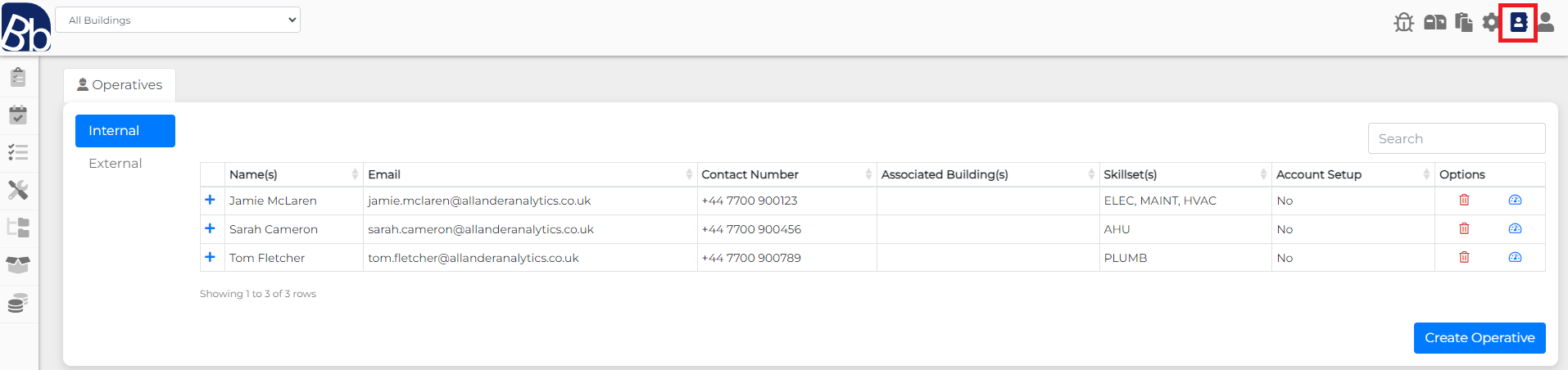
All operatives are split accross Internal and External tabs. The management process is the same each operative type.
To manage an operative, click the icon on the rowof the operative you want to manage. This will open the opertive management menu.

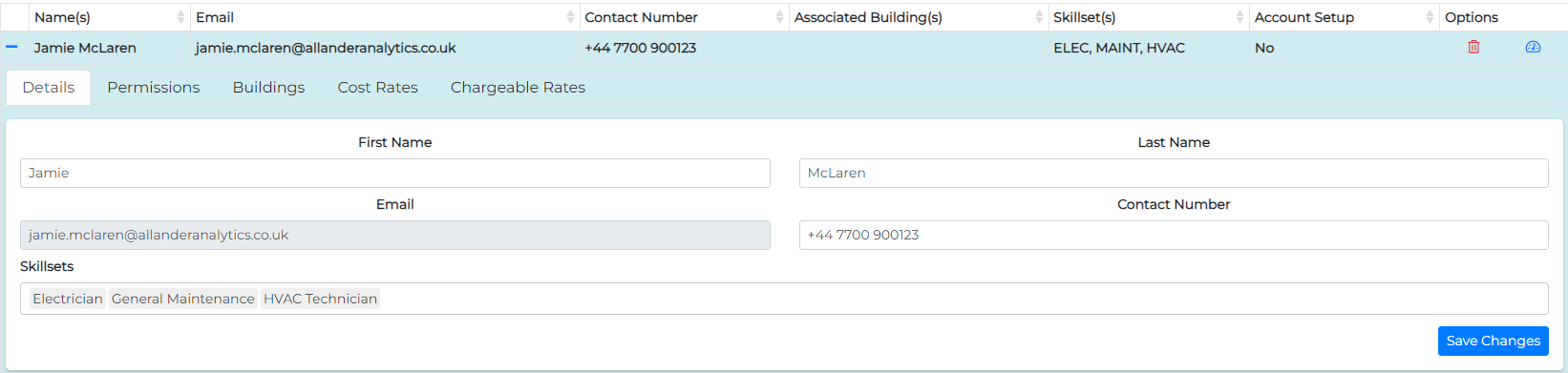
📄️ Details
How to manage basic operative details and skillsets
📄️ Permissions
A list of operative permissions and their descriptions.
📄️ Building Access
Configuring your operatives' building access
📄️ Cost Rates
Configuring your operative cost rates
📄️ Chargeable Rates
Configuring your operatives' charge rates