Operative Cost Rates
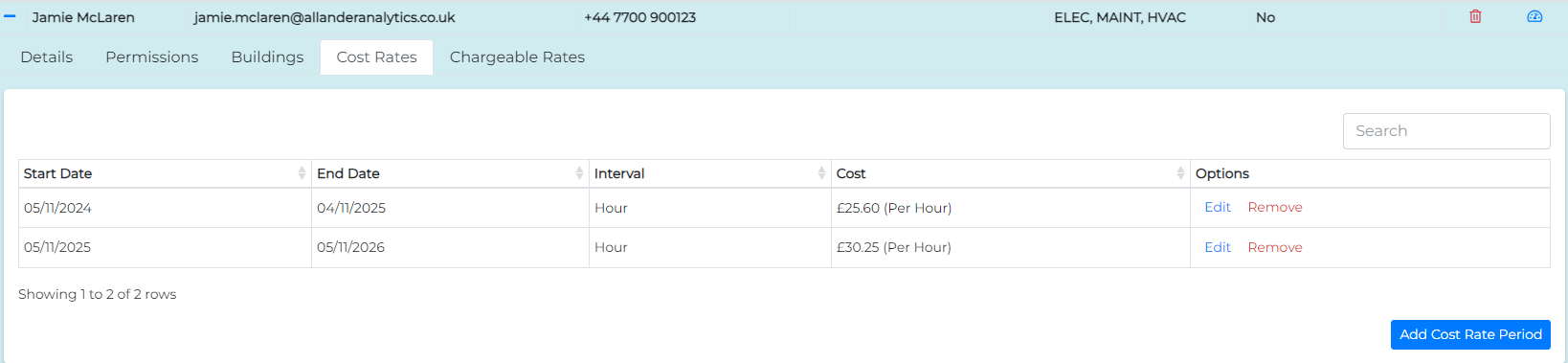
Operative cost rates are managed from the Cost Rates tab in the Operative Management View.
Cost Rates represent the cost of an operative to the business. The values entered here are used in financial reports and to measure the profitability of your maintenance contracts and tasks. For configuring chargeable rates see here.
Adding an Operative's Cost Rate
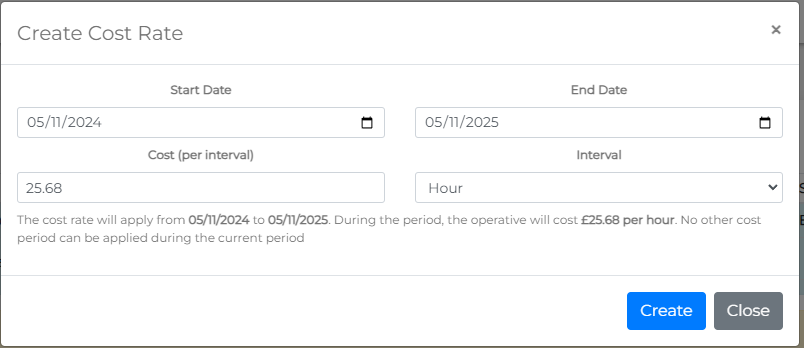
To add a cost rate for an operative, click the Add Cost Rate Period button. This will open the Create Cost Rate form.

Each cost rate must be configured for a specific period (default is one year from today). This period can be adjusted as needed, but it's important to note that cost rate periods cannot overlap.
The fields for configuring a cost rate are:
- Start Date: The first date on which the cost rate will apply.
- End Date: The last date on which the cost rate will apply.
- Cost (per interval): The monetary amount that the operative will cost per interval.
- Interval: The interval at which the Cost per interval applies. For example, a cost of £30 per hour on a 2-hour task will show that task to have a cost of £60 to complete (excluding materials).
Setting the cost rate per hour will yield the most accurate reporting, as task time is typically measured by the hour. Available interval options are:
- Hour
- Day
- Week
- Month
- Year
- Total
Click the Create button to save the cost rate.
An operative's Cost Rates are displayed in a table and can be updated at any time.
Updating a Cost Rate
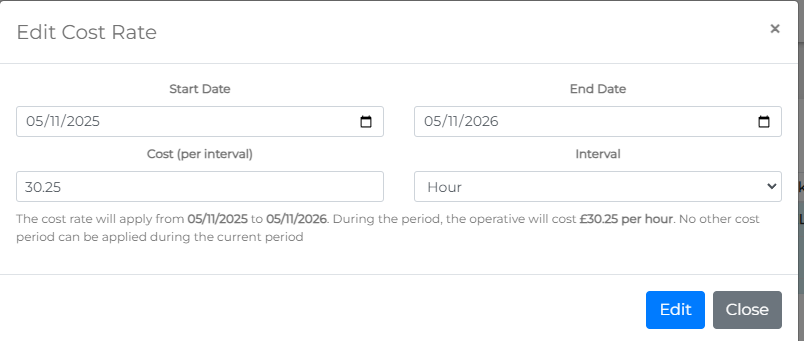
To update a cost rate, click the Edit link in the options column. This will open the Edit Cost Rate form.
Make any necessary changes, then click the Edit button to save the updated cost rate.
Removing a Cost Rate
To remove a cost rate, click the Remove link in the options column. Please note, due to the simplicity of adding cost rates, there is no confirmation prompt for removal. A toast message will appear to confirm the result of the action.