Operative Permissions
Operatives in the CMMS can be assigned various permissions to control their level of access and interactions with tasks, logs, stock, and other system features. Below is a detailed list of each permission and its function within the system.
Permissions can be configured as part of Adding an Operative, or Managing an Operative from the operative's Permissons tab.
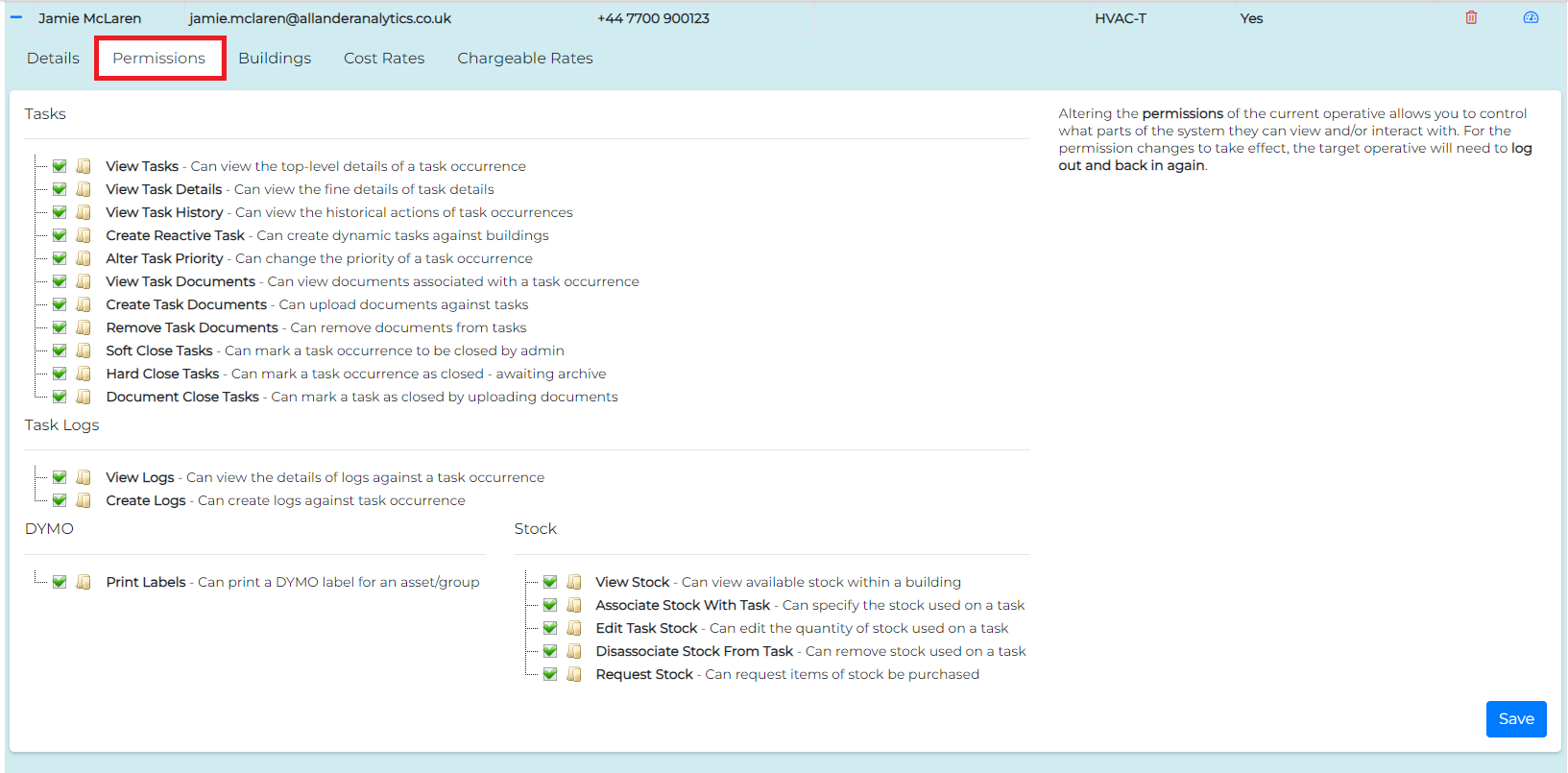
Task Permissions
- View Tasks: Allows the operative to access the Maintenance menu of Operative App
- View Task Details: Grants access to view detailed information about a task, including expected time to complete, frequency, and other additional data related to the task.
- View Task History: Permits the operative to see historical actions associated with task occurrences, including changes in status, assigned operatives, and previous updates.
- Create Reactive Task: Allows the operative to create new, unscheduled tasks in response to emergent maintenance needs, which are dynamically assigned to buildings as necessary.
- Alter Task Priority: Enables the operative to modify the priority level of a task, allowing for adjustment in importance based on current conditions or urgency.
- View Task Documents: Allows the operative to view documents attached to a task, such as manuals, safety information, or task-specific guidelines.
- Create Task Documents: Grants permission to upload and attach new documents to tasks, enabling operatives to add supplementary information or required documentation.
- Remove Task Documents: Permits the operative to delete documents associated with a task when they are no longer needed or relevant.
- Soft Close Tasks: Allows the operative to mark a task occurrence as "soft closed," meaning the task is complete but pending administrative review or final closure.
- Hard Close Tasks: Grants the operative the ability to fully close a task occurrence, marking it as completed and ready for archiving.
- Document Close Tasks: Enables the operative to close a task by uploading relevant documentation, such as completion reports or compliance forms.
Task Log Permissions
- View Logs: Allows the operative to view log entries associated with a task, providing details of actions, updates, or notes made by other users on the task.
- Create Logs: Permits the operative to create new log entries for a task occurrence, allowing them to add notes, status updates, or details of work completed.
DYMO Permissions
- Print Labels: Allows the operative to print DYMO labels for assets and/or asset groups, useful for tagging equipment or locations with unique identifiers for tracking purposes.
Stock Permissions
- View Stock: Grants the operative permission to view available stock within a building, helping them check inventory levels for required materials.
- Associate Stock With Task: Enables the operative to associate specific stock items with a task, indicating which resources will be used or have been used for that task.
- Edit Task Stock: Allows the operative to edit the quantity of stock items linked to a task, making adjustments based on actual usage.
- Disassociate Stock From Task: Permits the operative to remove stock items from a task, useful if stock was allocated in error or is no longer needed.
- Request Stock: Grants the operative the ability to request additional stock items to be purchased or replenished when supplies are low or unavailable.
Each of these permissions allows administrators to finely control the actions and level of access available to operatives, ensuring that each user can only perform functions relevant to their role and responsibilities.