Operative Details
Operative details are managed from the Details tab in the Operative Management View.
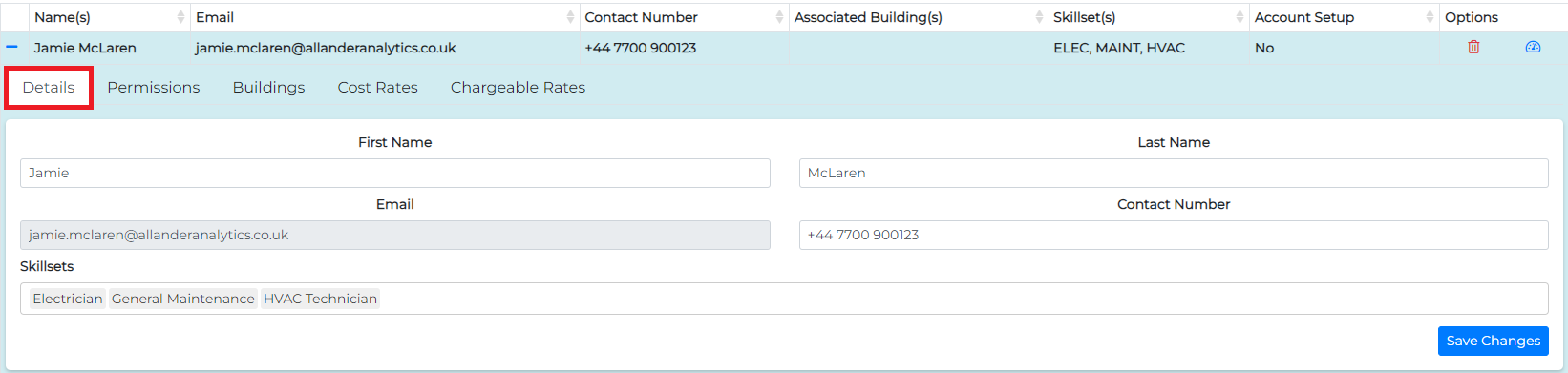
Editable Operative Details
The following details can be modified from this screen:
- First Name
- Last Name
- Contact Number
- Skillsets: Skillsets can be added or removed as required. Keep in mind that removing a skillset from an operative will prevent them from being assigned tasks that require that specific skillset. The list of available skillsets is sourced from your Skillsets Configuration.
Read-Only Operative Details
- Email: The operative’s email address serves as their username and cannot be updated. If the email address was entered incorrectly during the initial setup, you will need to remove the operative account and create a new one with the correct email address.