Task Assets
Assets View
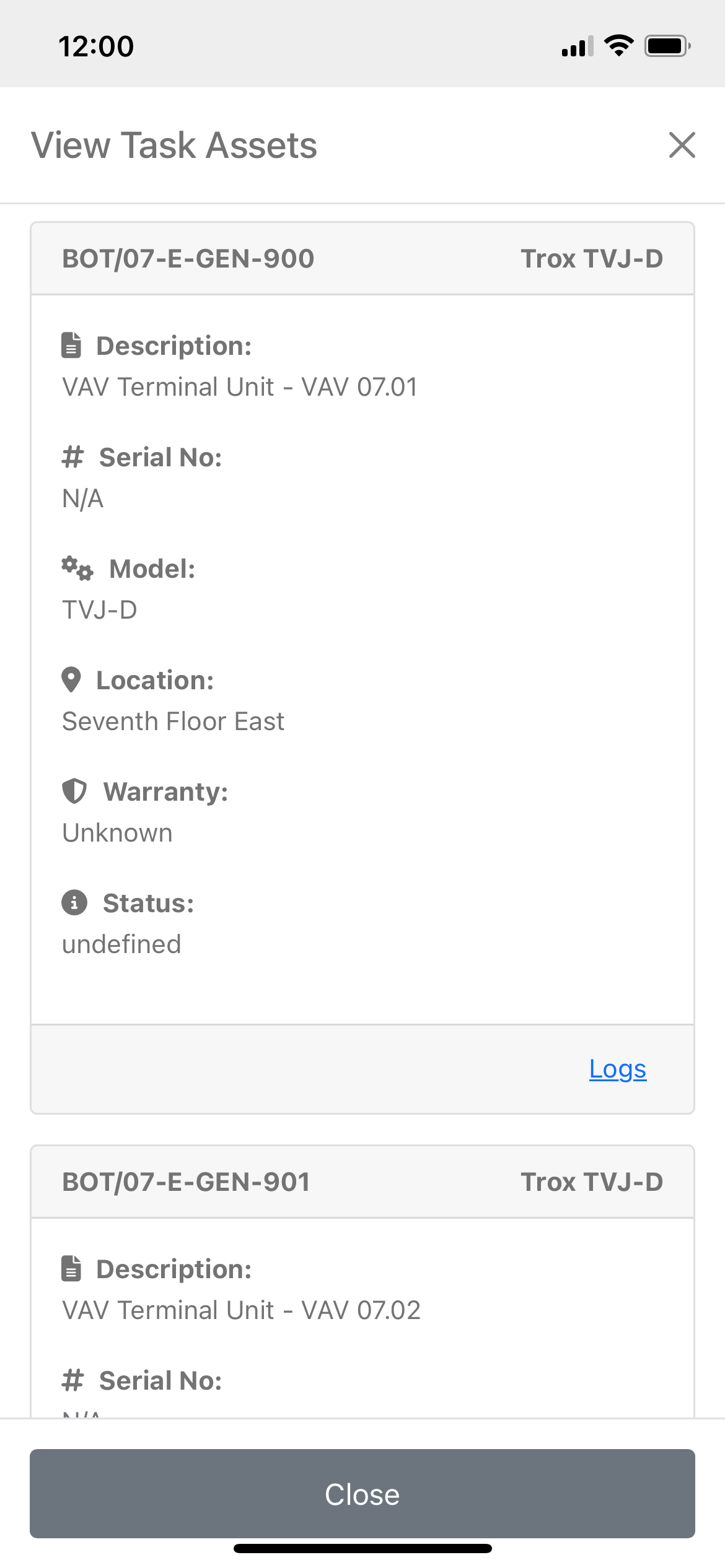
The Assets View allows operatives to view and add logs to individual assets. These logs are added directly to the asset, remaining available as part of the asset's history. Additionally, they are associated with the task, enabling admins to review specific work on individual assets when evaluating the task.
Assets are presented as Asset Cards displaying top-level asset information, allowing operatives to quickly locate the correct asset.
Asset Card Structure
-
Header:
- Left: Asset Reference Number (ARN)
- Right: Asset Name/Model
-
Content:
- Asset Name/Description
- Asset Serial Number (if applicable)
- Asset Model
- Asset Location
- Warranty Expiry Date (if applicable)
- Asset Status (if set)
Asset Logs
Viewing an Asset Log
Clicking the 'Logs' link in the card footer displays all asset logs and allows operatives to interact with the asset.
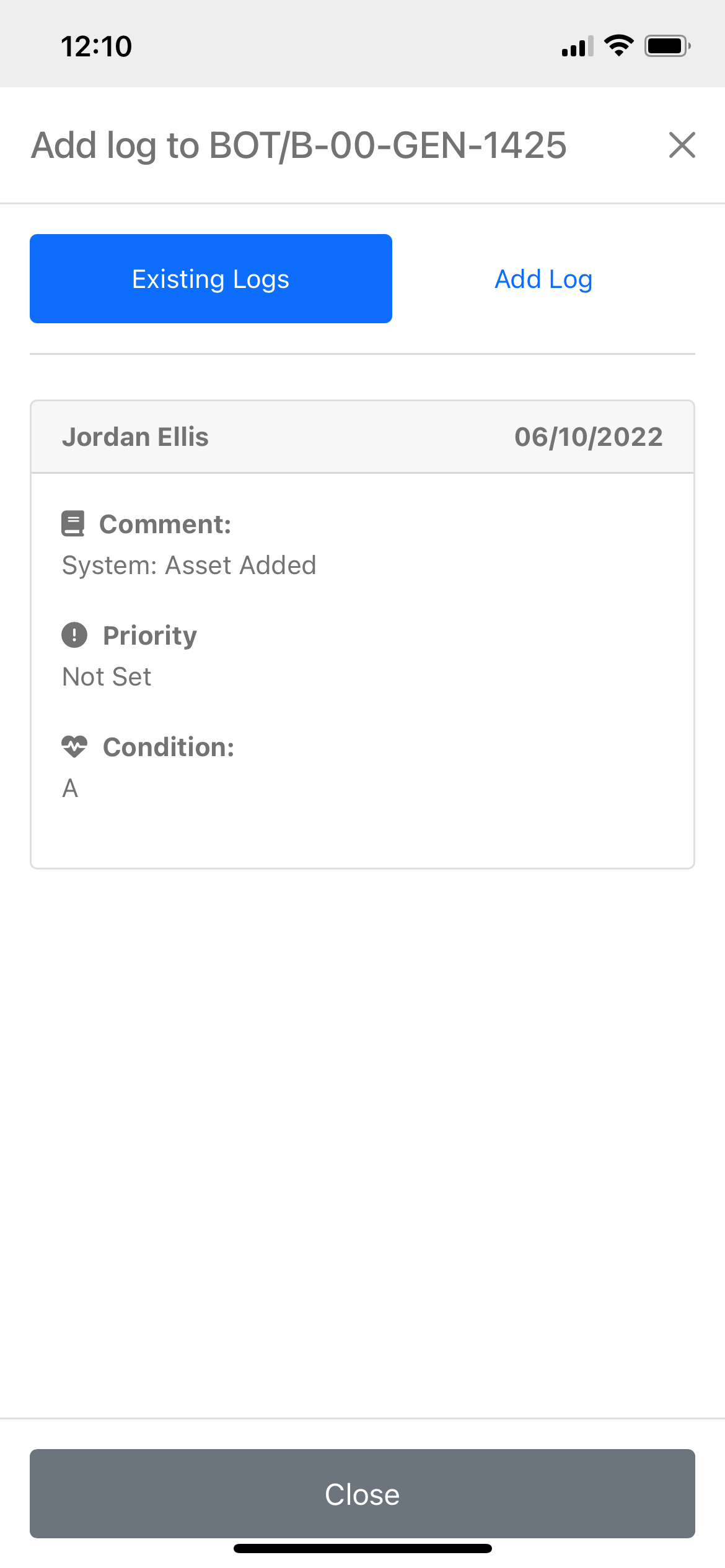
Similar to adding a Task Log, operatives have access to two tabs: 'Existing Logs' and 'Add Log'.
- Existing Logs: Displays all Asset Log cards associated with the asset.
- Add Log: Allows operatives to add a new log entry for the asset.
The ARN of the asset being interacted with is displayed at the top of the view. Asset Log cards display the following information:
-
Header:
- Left: Name of the user who added the log
- Right: Date the log was added
-
Content:
- Comment/Log
- Priority (at the time of the log)
- Condition (set when the log is added)
Adding an Asset Log
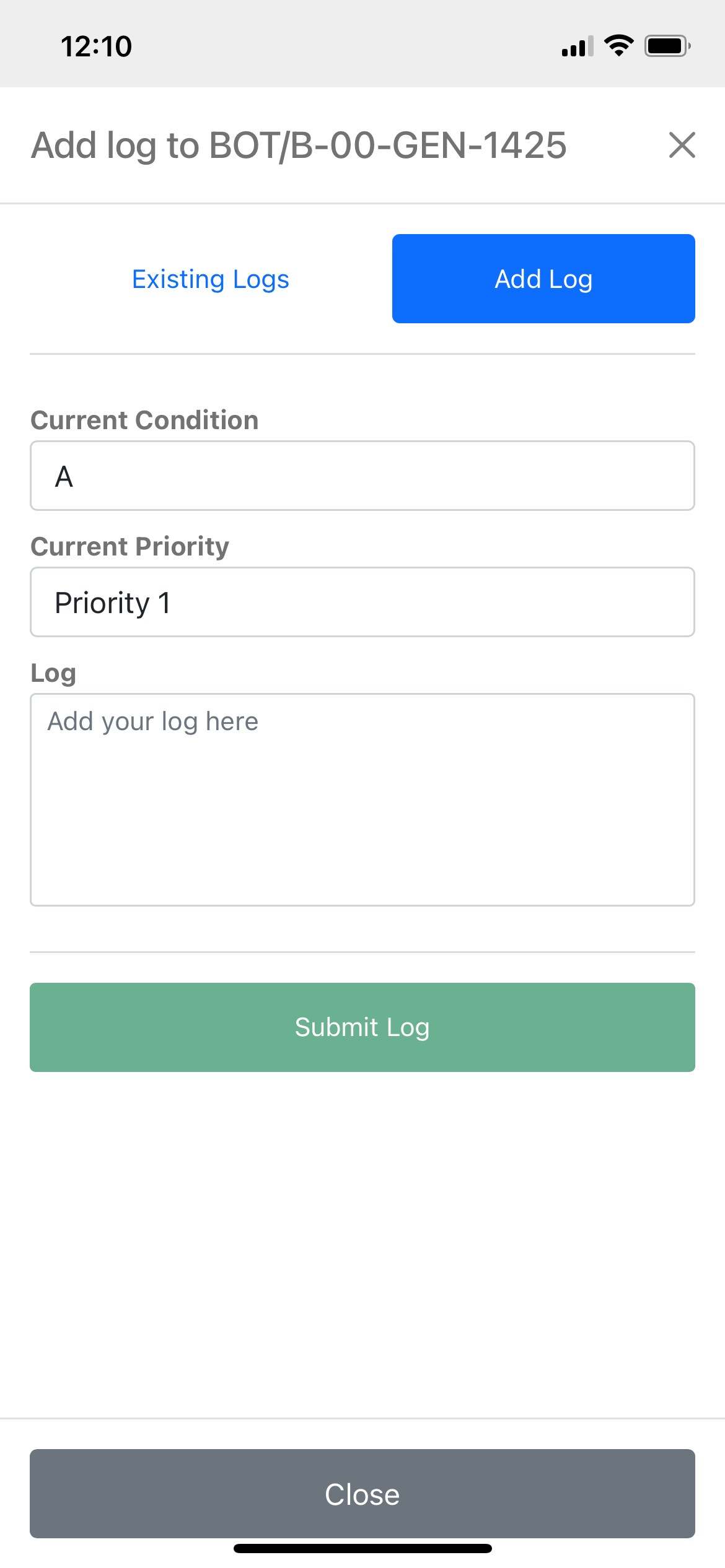
To add an asset log, click the 'Add Log' tab.
Fields Required to Add a Log
1. Current Condition
Select the current condition of the asset from the following options:
- A (As New): Equipment is in like-new condition and doesn't need any maintenance or repair.
- B (Good): Equipment is in good working order with no immediate need for maintenance, but there may be minor wear or tear that doesn’t yet impact performance.
- C (Acceptable): Equipment is operational but showing signs of wear. Maintenance might be needed soon to prevent degradation.
- xC (Degraded - Urgent): Equipment is functioning but in a more degraded state. Urgent maintenance or replacement is recommended to avoid failure.
- xD (Critical - Needs Attention Now): Equipment is critically degraded, and failure is imminent. Immediate maintenance or shutdown is required to avoid serious issues.
- F (Failed): Equipment has failed, and repair or replacement is necessary to restore operation.
2. Priority (optional)
Assign a priority level to the log entry:
-
Priority 1 (Immediate Action Required): For equipment or systems in critical condition that pose an immediate threat to operations, safety, or production. Immediate maintenance or shutdown is necessary to prevent failure or serious consequences. Corresponds to categories like "xD" or "F" in the condition rating system.
-
Priority 2 (Urgent, but Not Critical): For equipment or systems showing significant wear or degradation that need maintenance soon to avoid operational impact. While not yet critical, delaying maintenance could lead to more serious issues in the near future. Aligns with an "xC" condition rating.
-
Priority 3 (Maintenance Recommended Soon): For equipment still functioning but showing signs of deterioration. Maintenance should be planned in the near term (e.g., during the next scheduled downtime) to prevent further wear and potential failure. Relates to a "C" condition.
-
Priority 4 (Routine Maintenance/Observation): For equipment in good condition with minor wear or tear that doesn't impact performance. Routine checks or maintenance are recommended but can be scheduled at a convenient time without immediate concerns. Corresponds to "A" or "B" ratings in the condition-based system.
3. Log
Provide a descriptive log detailing information specific to the asset, including work done, observations, and any other relevant information.